IPv4/IPv6 in Hex and Endianness Pitfalls
Read IP addresses stored as hex, map C0A80101 to 192.168.1.1, and avoid wire-order vs host-endian mistakes.

Free online hex converter and text tools. Paste hex below to decode instantly, or open All Tools.
A Hex to String Converter is a practical online tool that translates hexadecimal code into readable plain text. Hexadecimal is a base-16 numeral system widely used in programming and computer technology, which simplifies the presentation of raw binary data. This conversion plays an important role in software development, cybersecurity, digital forensics and data analysis, where raw data often needs to be interpreted. Our tool eliminates complicated manual operations — simply paste your hex code, and you will get the corresponding text instantly. It supports a full range of character encodings, including the commonly used UTF-8 and language-specific standards such as Cyrillic and Big5, making it suitable for users worldwide.
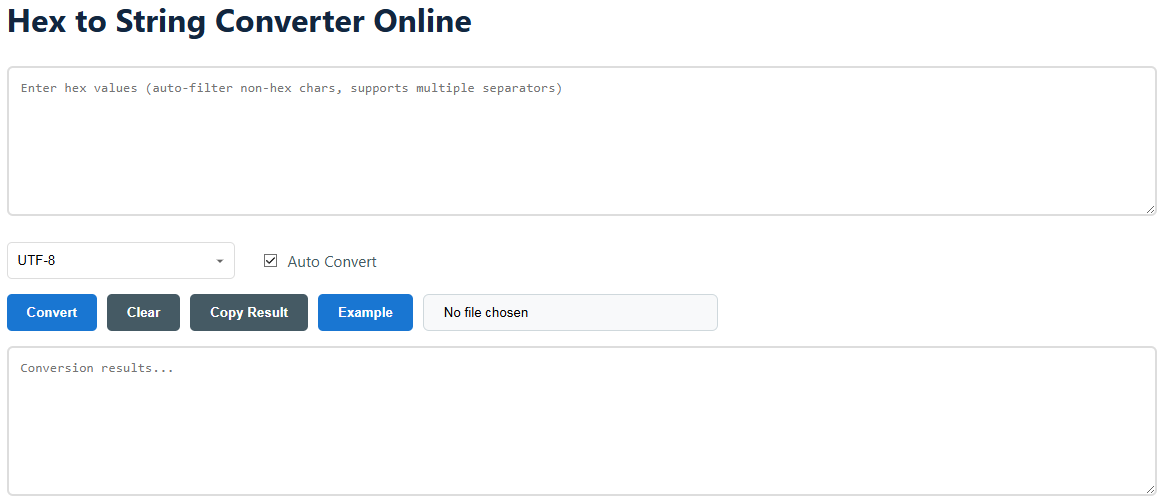
This converter balances powerful functions and simple operation. You can quickly turn a hex code into readable text. The auto-convert function delivers real-time results while manual settings allow for precise control. You may type content directly, paste hex data, or upload a text file for processing.
Hex-to-string conversion follows standard computer data processing rules. The tool first verifies and cleans input content, assembles valid hex characters into complete bytes, and then decodes these bytes into visible characters based on the selected encoding standard or code page.
These are different Unicode encoding formats that use different byte sizes for characters. UTF-8 uses 1 to 4 variable bytes and is the most widely adopted encoding on the web. UTF-16 uses 2 or 4 bytes and is commonly used by Windows systems and Java programs. UTF-32 occupies exactly 4 bytes per character; it runs simply but takes up more storage space. Choose UTF-8 for maximum compatibility, UTF-16 for dedicated system data, and UTF-32 mainly for internal program processing.
This issue is almost always caused by an encoding mismatch. The hex data was generated under one encoding standard, while you are decoding it with another (for instance, decoding Cyrillic content encoded with Windows-1251 using UTF-8). Try switching to other encodings in the drop-down list until the text displays normally.
Yes. The built-in input filter automatically removes all characters except valid hex digits (0-9, a-f, A-F). You can directly paste raw hex data with formats like "0x4A 0x6F", spaces, commas and line breaks, and the tool will clean the content before conversion.
You can input any hex code, but meaningful plain text results can only be obtained if the original data is text content. If you convert hex extracted from image file headers or other non-text files, you will only get messy control characters and symbols that cannot be used normally. Hex code is mainly used to represent text data.
Yes, we provide a dedicated String to Hex Converter. It performs the opposite operation: converting any plain text into hexadecimal format based on your chosen encoding.
When you select Base64, the tool works differently. It first converts hex data into binary form, then encodes the binary data into a Base64 string. This function is helpful for web data transmission, such as building data URLs and processing email attachments.
Yes. All conversion operations run locally in your browser via JavaScript. Your hex data and converted text will never be uploaded to or stored on our servers. You can check the page code or use the tool offline for verification. Your data privacy and security are fully guaranteed.
| Encoding Name | Primary Use / Language | Byte Range | Key Feature |
|---|---|---|---|
| UTF-8 | Universal (Web, Modern Systems) | 1 to 4 bytes (variable) | Backwards compatible with ASCII, high efficiency for web scenarios. |
| ASCII | Basic English, Programming | 1 byte (0-127) | Standard 7-bit encoding, supports only 128 basic characters. |
| Windows-1252 (CP-1252) | Western European Languages | 1 byte | Default encoding for legacy Windows systems using Western European languages. |
| ISO-8859-1 (Latin-1) | Western European Languages | 1 byte | Early mainstream web standard; similar to Windows-1252 but with fewer printable characters. |
| Windows-1251 | Cyrillic Script (Russian, etc.) | 1 byte | Default code page for Cyrillic characters on Microsoft Windows. |
Read IP addresses stored as hex, map C0A80101 to 192.168.1.1, and avoid wire-order vs host-endian mistakes.
Recognize UTF-8 byte patterns in hex: lead bytes, continuation bytes, BOM, mojibake, and safe decoding practices.
How #RRGGBB hex colors map to RGB channels, short #RGB form, parsing examples, and links to converters.
Use SHA hexdigest correctly: raw vs hex, avoid double-encoding, compare digests safely, and choose hex or Base64 for APIs.
Identify file types from hex signatures (magic numbers): JPEG, PNG, GIF, PDF, ZIP, ELF, with a quick check recipe.
Parse u16/u32/u64 values from hex dumps correctly with big-endian vs little-endian examples in Python and PHP.